Attendance Regularisation: How to Handle Missed Punches and Late Marks Fairly
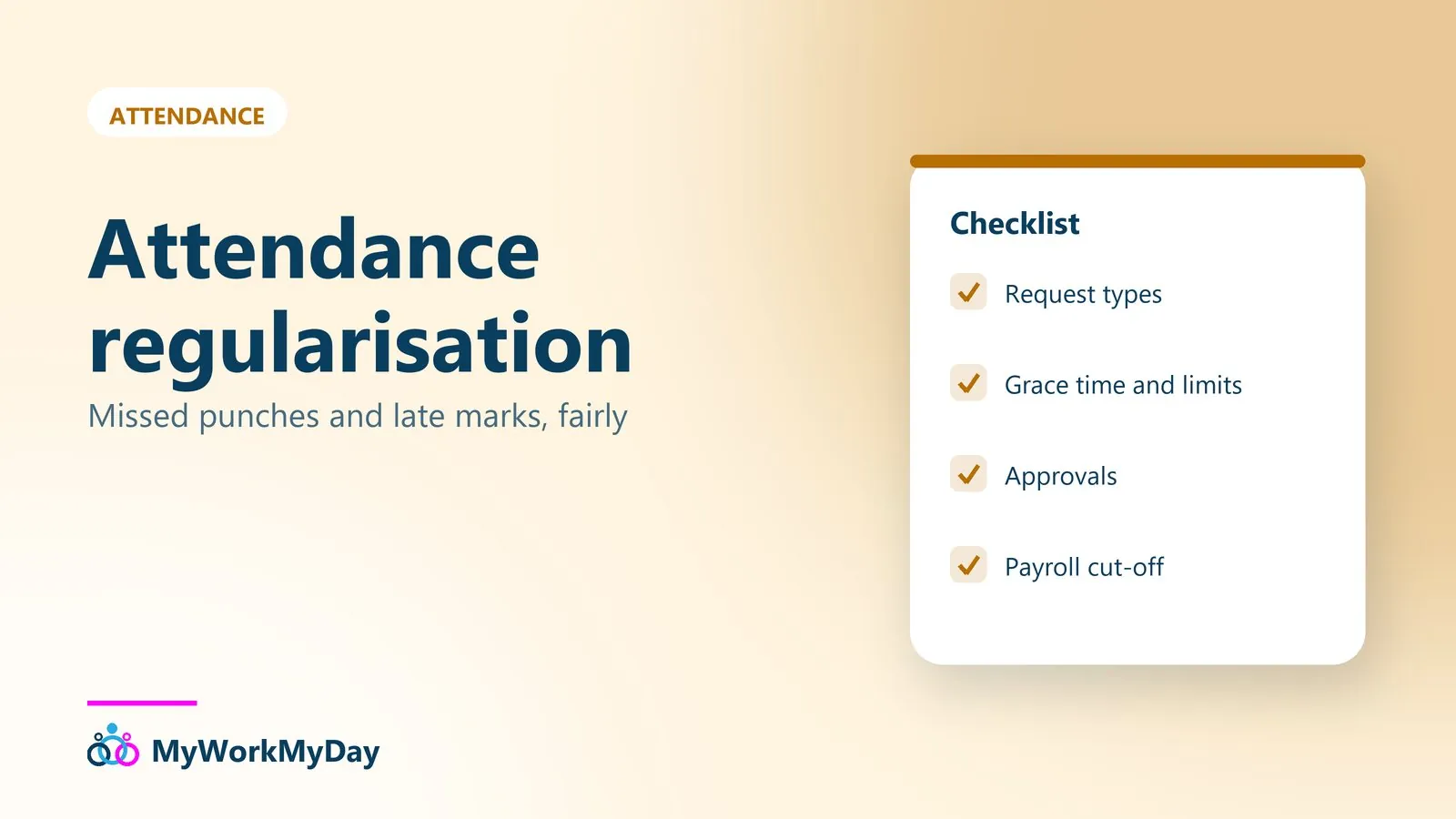
Request types, the rules to set up front, approvals and the payroll cut-off, with a checklist.
The short answer
Attendance regularisation is how an employee corrects an attendance record that's wrong or incomplete, such as a missed punch, a late mark or a field visit, through a request their manager approves. A fair policy separates three request types (adjustment, regularisation and partial day), sets grace time and monthly limits, names the approver for each, and closes every request before the payroll cut-off.
Why Attendance Needs Correcting
Even good attendance systems produce records that don't match reality. The usual causes:
- Someone forgets to check out, or the biometric device was down.
- An employee was at a client site or on field duty all day.
- A late arrival had a genuine reason, such as a hospital visit or a transport strike.
- Work ran past midnight on a night shift and landed on the wrong date.
Without a process, each of these becomes a message to HR and a manual edit. Manual edits are slow and hard to audit, and two managers may treat the same case differently.
Three Kinds of Requests
It helps to separate requests by what they change, because each needs a different level of scrutiny.
| Request | What it fixes | Example |
|---|---|---|
| Adjustment | Wrong or missing punch times | Forgot to check out at 6:30 pm |
| Regularisation | A penalty the employee believes is unfair | Marked absent while at a client office |
| Partial day | Planned late arrival, early exit or short absence | Leaving at 3 pm for a doctor's appointment |
Work from home and on-duty days are often handled as separate remote-work requests, approved in advance rather than corrected afterwards.
Rules to Decide up Front
Pick a rule to see what to decide.
Grace Time and Late Marks
Decide how many minutes late still counts as on time, and how many late marks are allowed in a month before a deduction applies. Some companies ignore a late arrival if the person still completes their hours.
Minimum Hours for a Full and Half Day
Set the hours that count as a full day and a half day. This decides what happens when someone arrives on time but leaves two hours early.
Missing Logs
A missing check-in or check-out is the most common case. Many companies allow a few exemptions a month before it counts against leave, and some ignore a missing log when the hours worked are clearly complete.
Limits on Requests
Allow enough requests to cover genuine mistakes, but not so many that the policy stops meaning anything. A monthly limit per request type is the simplest way to do this.
How Penalties Apply
When a rule is broken, decide whether the day is deducted from paid leave or treated as loss of pay, and whether there is a buffer period before penalties start for new joiners.
Example
Arjun's biometric device was down on Tuesday, so his check-in is missing. He raises an adjustment with his actual arrival time, his manager approves it, and the day counts as a normal working day. No HR edit, and the approval is on record.
Approvals and Deadlines
The reporting manager is usually the right approver, because they know whether the person was really at the client site. Add HR as a second level only for penalties, or for requests above the monthly limit.
Two settings keep requests from piling up:
- A submission window, for example within 3 working days of the date being corrected.
- A plan for missing approvers. If no approver is set, or the manager is away, decide whether requests auto-approve or move to the next level.
Regularisation and Payroll
Every open request is a possible salary change. Before the payroll run, all regularisation requests for the month should be approved or rejected, and employees with no attendance logged should be followed up: mark the attendance, apply leave, or send them a reminder.
Pro tip
Publish the cut-off date in the policy and remind managers a few days before it. Requests approved after payroll has run have to be corrected in the next month's salary, which is slower and harder to explain.
In MyWorkMyDay attendance management, adjustment, regularisation and partial-day requests go through multi-level approvals, and are approved automatically when no approver is assigned. The tracking policy holds grace minutes, late-arrival limits, minimum hours and missing-log exemptions. Before each run, the payroll dashboard lists pending regularisations and missing attendance so they can be cleared first, and managers approve their team's requests from My Team.
Attendance Regularisation Checklist
- Request types defined: adjustment, regularisation, partial day
- Grace minutes and monthly late-mark allowance
- Minimum hours for a full day and a half day
- Missing-log exemptions per month
- Monthly limit on requests
- Penalty: paid leave or loss of pay, and any buffer period
- Approver for each request type, and what happens when they're away
- Submission window and payroll cut-off date
Frequently Asked Questions
What is attendance regularisation?
Attendance regularisation is the process of correcting an attendance record that is wrong or incomplete, such as a missed punch or a late mark, through a request that a manager approves or rejects. It keeps the record accurate without HR editing entries by hand.
How many regularisation requests should an employee be allowed each month?
There is no standard number. A small monthly limit, for example two to four requests, covers genuine mistakes while repeated late arrivals still show up. Set the limit to match how your teams actually work and review it after a few months.
Should regularisation requests be approved before payroll?
Yes. Set a cut-off date before the payroll run by which requests must be submitted and approved. Anything approved later is corrected in the next month's salary, which is slower and harder to explain to employees.
Further reading
See regularisation working end to end
Watch how a missed punch becomes an approved correction and reaches payroll in MyWorkMyDay.